
htop, in a window.
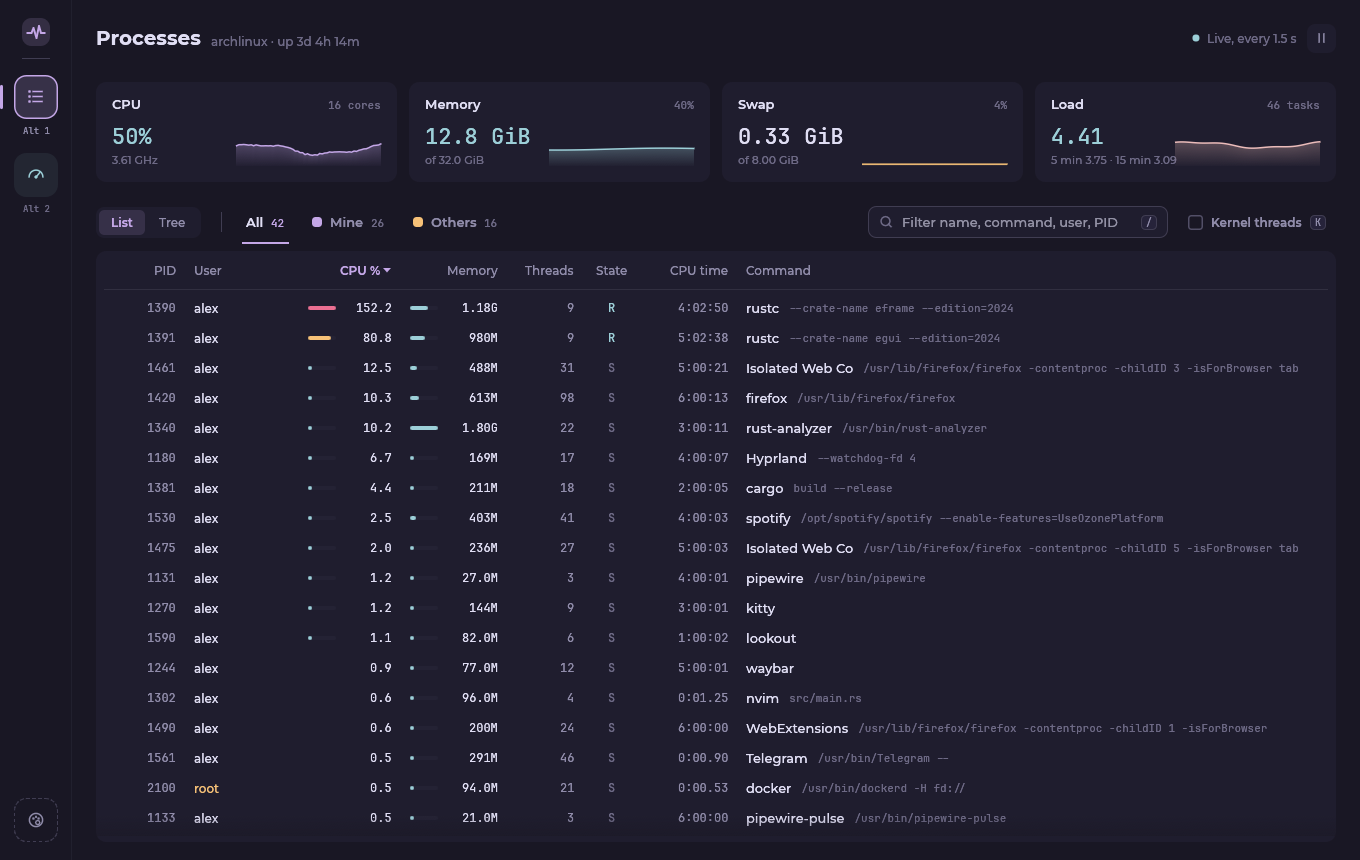
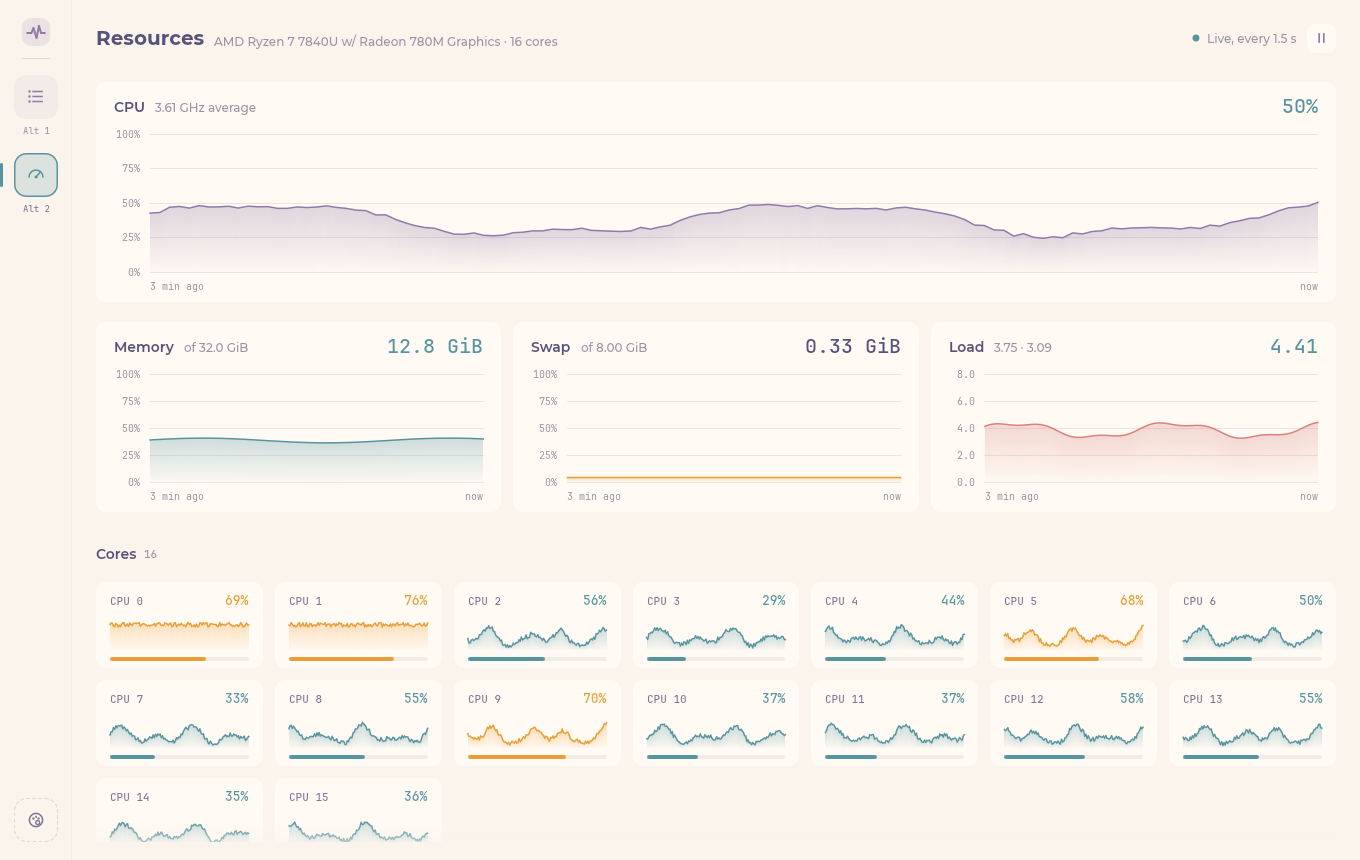
Lookout shows CPU, memory and load at a glance, and every process in a list you can filter, sort, see as a tree, and stop. Written in Rust. Dressed in Rosé Pine.
$ yay -S lookout-bin
From the AUR. lookout builds from source instead.
Find it fast
Type to filter by name, command line, user or PID. Click a column to sort. The busiest rows carry a small meter, so they stand out.
See who started what
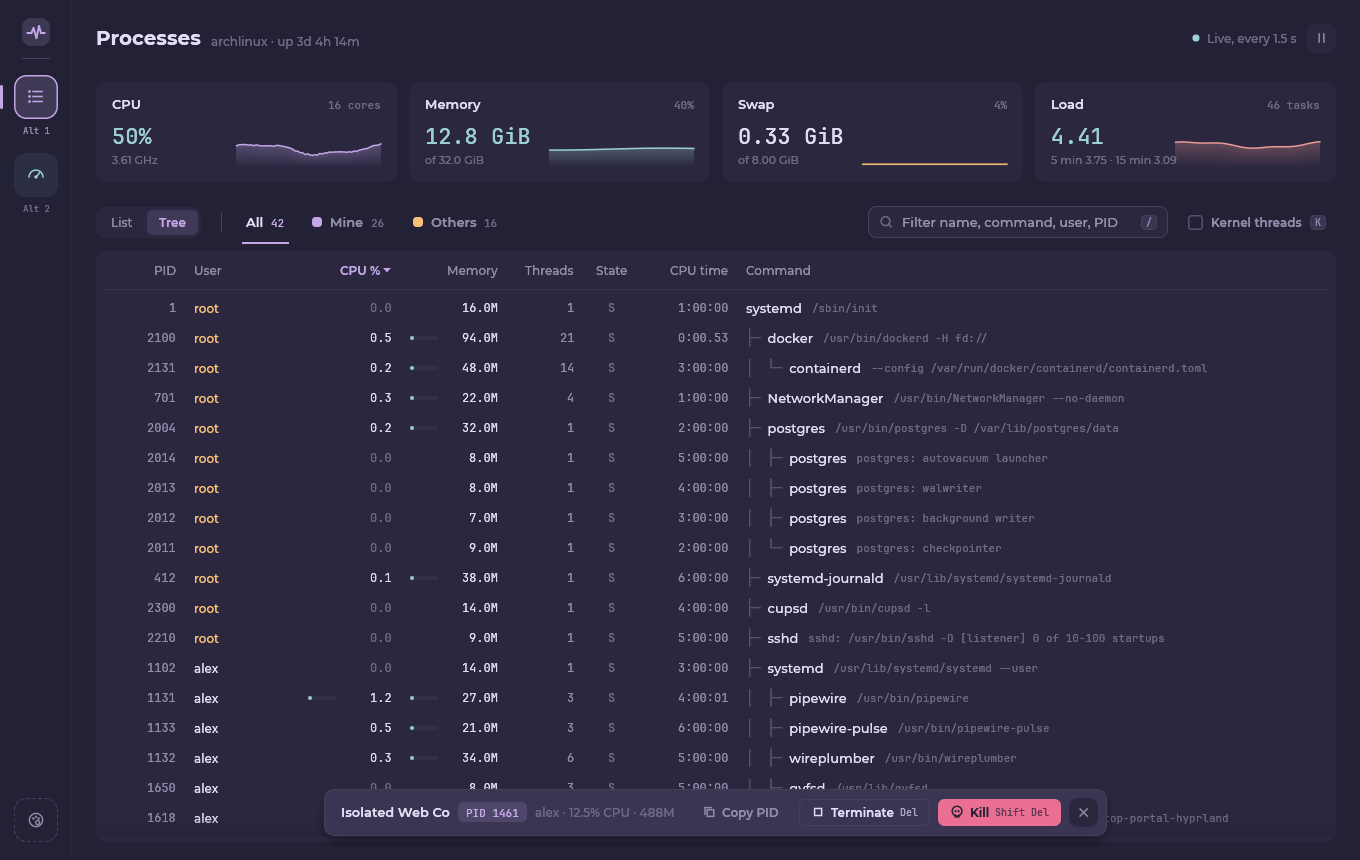
The tree view nests every process under its parent. Mine and Others split your processes from the system's.
Stop it, safely
Terminate asks a process to quit. Kill stops it at once. Both ask first, and both show what happened.
Light on the machine
A native Rust app. It samples every 1.5 seconds and draws only when something changes.
All three Rosé Pines.
Pick main, moon or dawn, or leave it on System. With a Rosé Pine GTK theme, Lookout picks the same variant. Anywhere else it follows dark or light mode.
- Rosé PineDark
- MoonDark, softer
- DawnLight
Keys first.
Everything works with the mouse, and everything works without it. On a Mac, Backspace stands in for Delete and Option for Alt.
- /
- Filter by name, command, user or PID
- ↑↓
- Select a process
- Del
- Terminate the selected process
- ShiftDel
- Kill it, when it does not listen
- T
- Switch between list and tree
- Space
- Pause, so the list holds still
- Alt1
- Processes
- Alt2
- Resources
Install
Then run lookout, or open it from your app launcher.
Arch Linux
From the AUR. lookout builds from source instead.
$ yay -S lookout-bin
Homebrew
macOS and Linux. Prebuilt, no Rust needed.
$ brew tap kaareloun/lookout https://github.com/kaareloun/lookout$ brew install lookout
Cargo
Any platform with a current Rust.
$ cargo install --git https://github.com/kaareloun/lookout